Inventory and financial accounting software
Connected software for sales, inventory, financial records and a fiscal cash register, with cloud synchronisation and continued offline work.
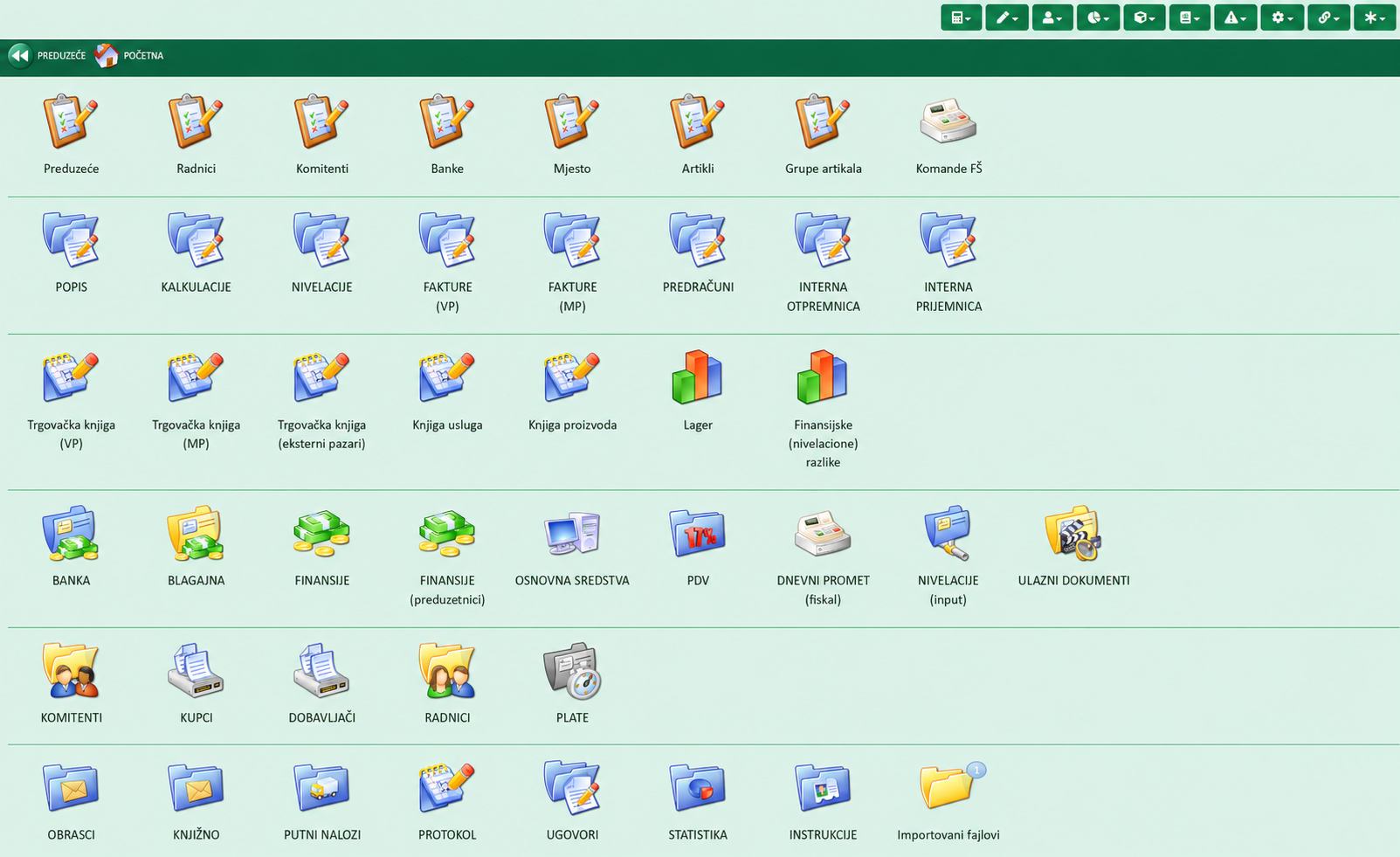
One connected system for daily operations
Our inventory and financial accounting software is intended for companies and sole proprietors that want to manage sales, purchasing, inventory and accounting data in an organised system. The desktop application is installed on the company computers so employees can record daily transactions independently. RA Eksperta prepares the settings, organises training and helps users during everyday work.
Inventory management and financial accounting
The inventory module records items, incoming and outgoing goods, purchase and sales documents, inventory movements and balances by business unit. The financial module connects business documents with the corresponding records and prepares the data for further accounting processing. The final set of functions is agreed according to the activity, number of sales locations and the client organisation.
Software for accounting agencies
Accounting agencies that purchase the software can use the same system to keep business records for sole proprietors operating under the single-entry bookkeeping system. Data are kept separately for each client, while the books and records are selected according to the proprietor’s tax status and activity. This allows the agency to connect a client’s inventory data with the books and reports it maintains for that client, without relying on several disconnected applications.
Fiscal cash register integration
We can connect the software to a suitable fiscal cash register after checking the technical compatibility of the equipment. Once configured, recording a sale in the software can automatically initiate the issue of a fiscal receipt. This reduces duplicate data entry and makes work at the sales point faster. Before installation, we check the cash-register model, available computer equipment and the existing invoicing process.
Cloud synchronisation and offline work
The programs are connected through the cloud and data are synchronised with the agency system when internet access is available. The desktop application can continue operating during a temporary internet outage. When the connection returns, the data are synchronised, allowing the user to continue essential work during a short interruption.
Free training and user support
Initial training is included with installation and is adapted to the work employees actually perform. We explain items and documents, inventory work, receipt issuing and standard checks. Help with using the software is included at no additional charge. Additional practical guidance can be arranged when the workflow changes or a new employee joins the team.
Software purchase
You can purchase the software as your own business solution. Before preparing the offer, we define the required modules, number of computers and sales locations, and cash-register integration.
Monthly payment
The software is also available for a monthly fee. The usage scope and included functions are stated in the offer before the service starts.
Opening-balance transfer
Transferring the opening balance at year-end is charged separately at 100–200 KM. The final amount depends on the volume, organisation and export format of the existing data. We confirm the exact amount before the transfer, after reviewing the available records.
Implementation process
- We review the activity, users, sales locations and existing equipment.
- We agree the modules, payment model and required cash-register connection.
- We install and configure the software and connect compatible equipment.
- We train employees and provide free help with everyday use.
Frequently asked questions about the software
Answers about offline work, cash-register integration, training and payment options.
Can the software work without internet access?+
Can it connect to an existing fiscal cash register?+
Are training and support charged separately?+
Can I purchase the software or pay monthly?+
Is the software suitable for accounting agencies?+
How much does the opening-balance transfer cost?+
Request a software demonstration
Leave your details and briefly describe the business activity, number of computers or sales locations, and existing fiscal cash register. We will contact you about a demonstration and offer.
- Phone+38765664272
- WhatsAppOpen chat
- ViberOpen chat
- Emailinfo@eksperta.ba
- AddressKralja Aleksandra I Karađorđevića bb, Šamac
- Working hoursPonedjeljak – petak, 08:00 – 15:00
Request a software demonstration
Request a software demonstration and offer
Contact us and we will prepare a cooperation proposal tailored to your business.